OAuth API keys are used for authenticating API requests from your system to Redox. Learn about authentication methods.
You can delete duplicate or unnecessary OAuth API keys.
Platform API endpoints
- A user must be assigned to an engineer role to manage OAuth API keys. Learn about user roles.
- Log into a development or staging environment. Self-service deletion is disabled in production. Talk to your Technical Account Manager to delete production assets.
- Have more than one existing OAuth API keys in the environment.
- Log in to the dashboard.
- From the navigation menu, click the Developer page.
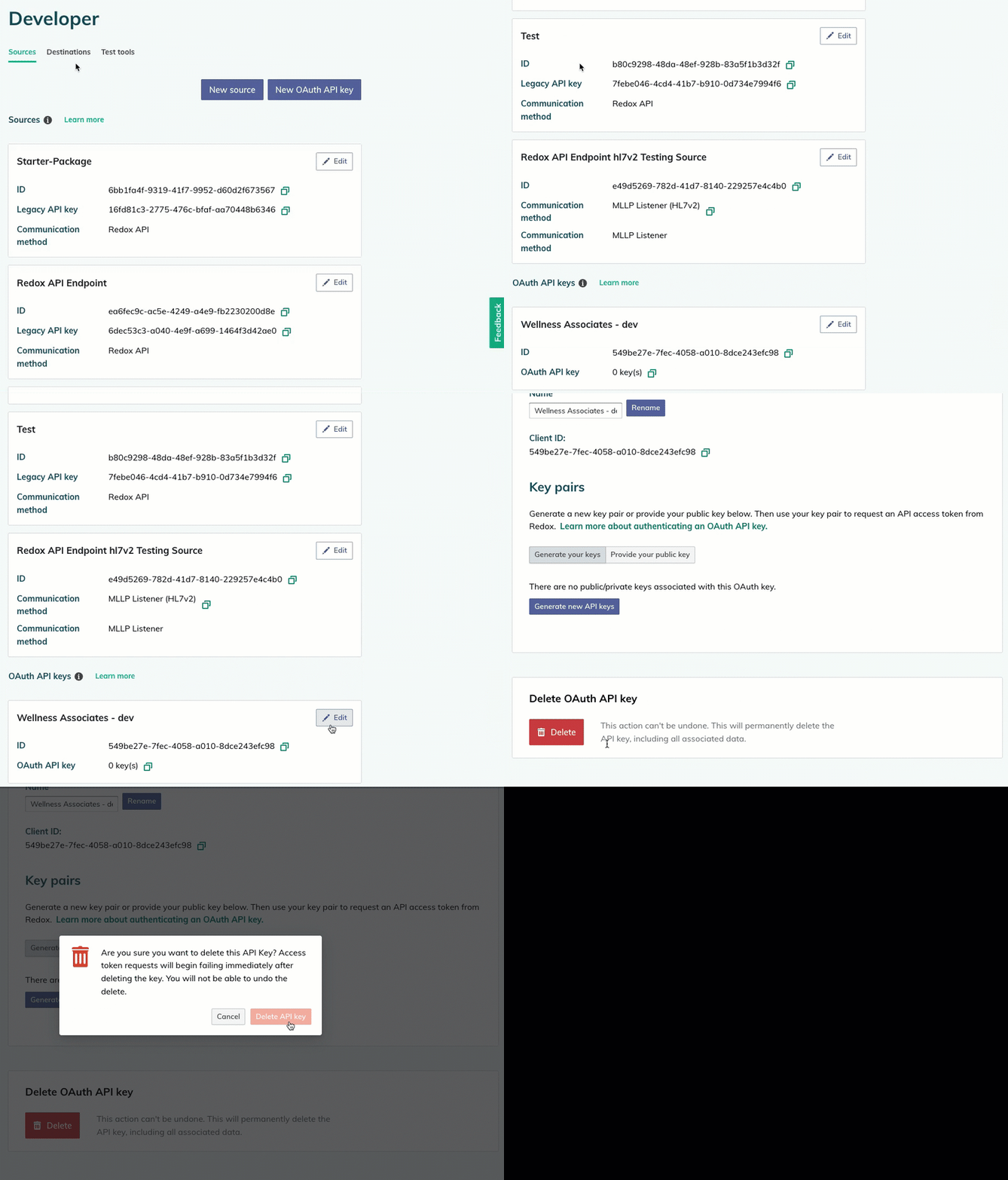
- By default, the Sources tab opens and displays any configured sources and OAuth API keys. Find the OAuth API key you want to delete, then click the Edit button.
- By default, the Settings tab displays. Scroll down to the Delete OAuth API Key section and click the Delete button.

Delete an OAuth API key